Many learners decide to cancel their Coursera subscription for different reasons, completing a course, cutting down expenses, or switching to other learning platforms. The process is simple, and you can restart your Coursera plan anytime you return.
In this updated 2026 guide, you’ll learn how to cancel a Coursera subscription, what happens after cancellation, and how refunds work. We also cover the best free learning options and cheaper alternatives so you can continue studying without overspending.
Can You Cancel Coursera Subscription?
Coursera allows you to cancel your subscription anytime. After canceling, you can still access your course materials until the end of your current billing period.
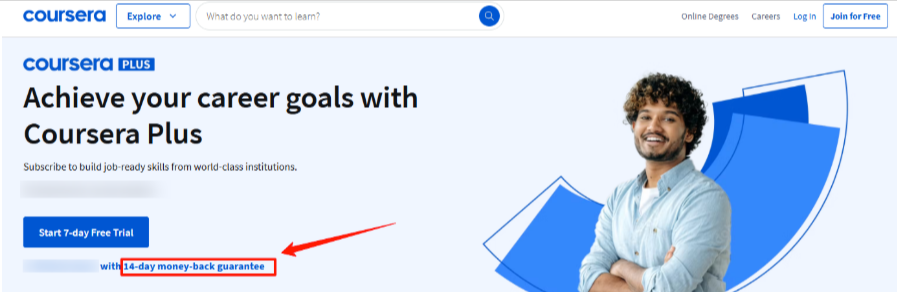
It also offers a 14-day money-back guarantee for those who purchase Coursera Plus for the first time. This gives new learners peace of mind, allowing them to try the platform without worry.
How To Cancel Coursera Subscription? (Step by Step Guide)
Canceling your Coursera subscription is simple and can be done within a few minutes. Even after canceling, the Coursera certificates are worth it for a lifetime, which you can showcase in your resume or LinkedIn profile.
Step 1: Log in to your account via the official Coursera website.
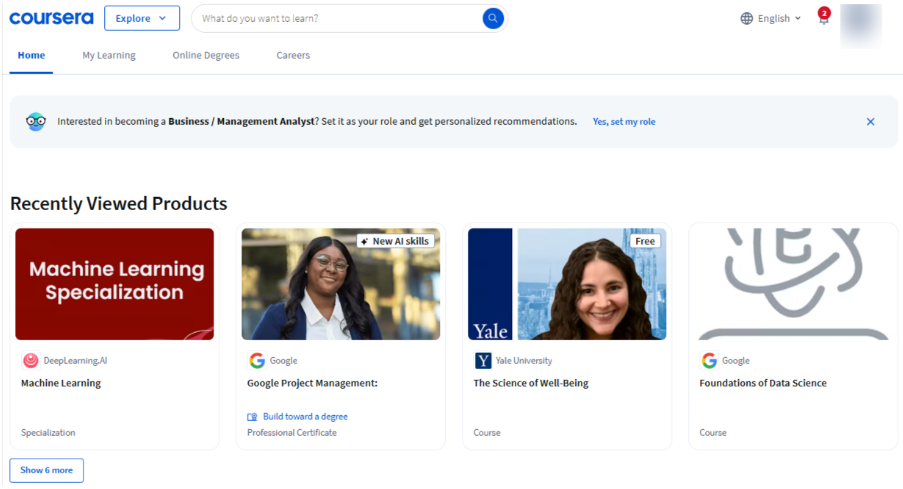
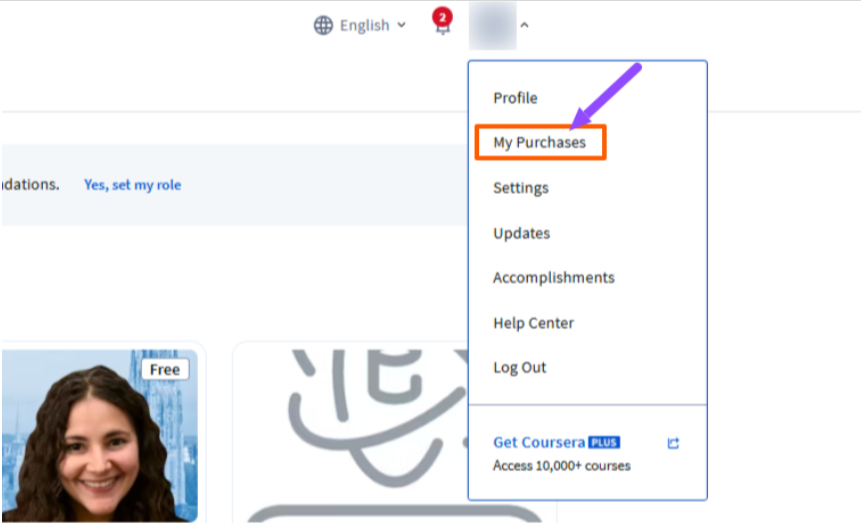
Step 2: Go to the profile icon on the top right side of the page and click ‘My Purchases.’
Step 3: After that, go to the ‘Manage Subscriptions’ and select the ‘Cancel Subscription’ option. Follow the on-screen instructions to confirm.
Can You Pause Your Subscription?
Coursera does not have a direct pause option for subscriptions. However, if you want to take a break, you can cancel your subscription first.
When you return, you can restart it anytime. Your course progress will be saved, but the deadlines and schedules will reset after you resume your paid access.
Alternative To Coursera Subscription Cancellation
There are other options that can help you continue learning without spending much. Coursera allows users to learn for free or get financial support for paid courses. Let’s look at two useful alternatives.
1. Audit Coursera Courses
Auditing Coursera courses is a smart option for learners who want to access course materials without paying. You can audit many courses for free by selecting the ‘Audit’ option while enrolling.
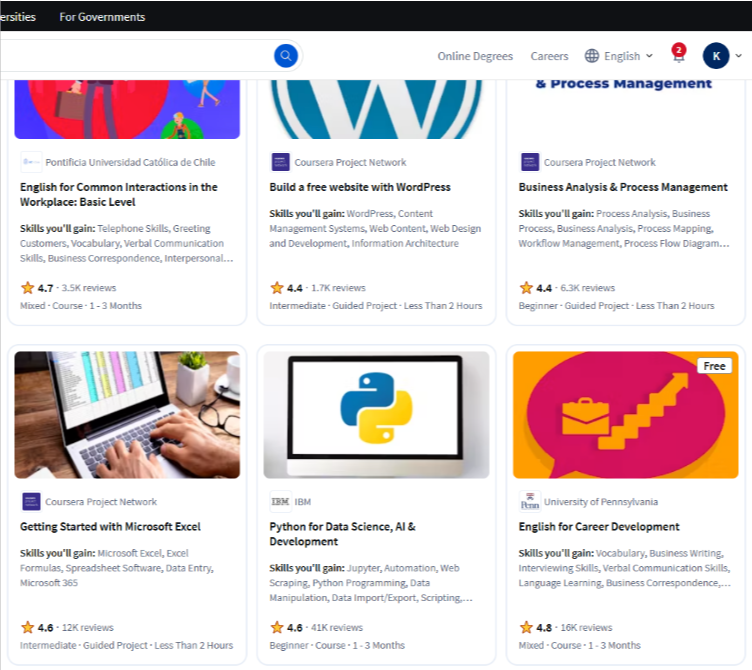
However, not all courses offer free auditing. Also, auditing a course won’t provide you with a certificate. If you wish to get a certificate, you need to pay.
However, it is still best suited for students, working professionals, or anyone who wants to learn at their own pace without incurring expenses.
You can explore the best free courses in various categories, including Business, Data Science, Health, Social Science, and Language Learning.
You can access courses for free, but the advanced ones are only available with paid plans.
2. Coursera Financial Aid
Coursera offers financial aid to learners who cannot afford the subscription fee. This is particularly beneficial for students, unemployed individuals, or anyone facing financial challenges.
You need to apply for financial aid from the course page by completing an application form that includes your education, career goals, and financial situation.
You must also agree to Coursera’s Honor Code. The review process takes up to 16 days. Once approved, you can access the full course and earn a certificate without paying. Also, remember, there are no special student discounts on Coursera, but financial aid is a good option for you to learn for free.
Coursera Subscription Plans
Coursera offers flexible subscription plans tailored to various learning needs and budgets. Whether you want to learn a specific skill or access unlimited courses, the Coursera pricing structure works best for both individual learners and businesses.
| Plan | Price | Best For |
|---|---|---|
| Single Course | Varies ($49–$79/course) | Individuals seeking to learn specific skills |
| Coursera Plus Monthly | $59/month | Learners planning to take multiple courses |
| Coursera Plus Annual | $399/year | Frequent learners seeking cost savings |
| Enterprise (Teams) | $399/user/year | Organizations training 5–125 employees |
| Enterprise (Enterprise) | Custom pricing | Large organizations (125+ users) |
The Single Learning Program plan is best for learners who want access to just one course or specialization.
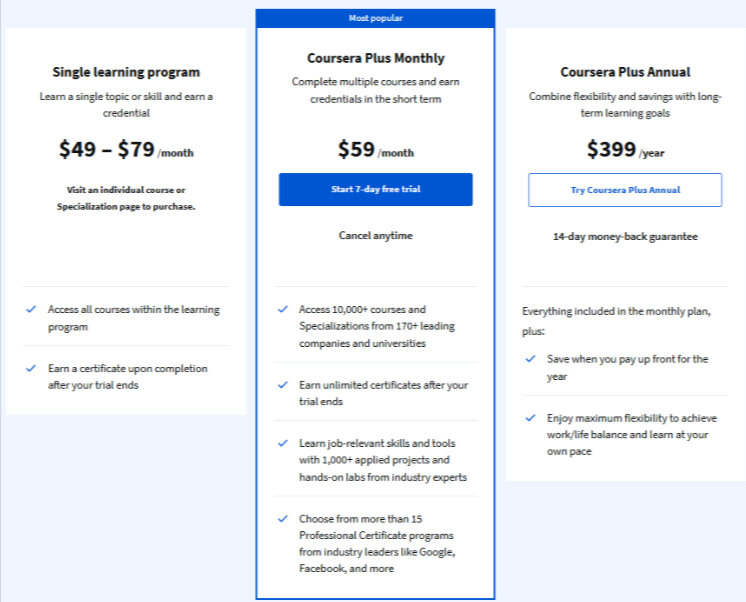
The Coursera Plus Monthly plan gives unlimited access to over 10,000+ courses, professional certificates, and hands-on projects from top companies and universities. You can earn unlimited certificates after your 7-day free trial.
The Coursera Plus Annual plan is ideal for long-term learners looking to save money while accessing the same benefits as the monthly plan but with added flexibility. Explore exclusive Coursera Plus discount offers for better savings.
The Enterprise plan is customized for business teams and includes advanced learning solutions, requiring contact with Coursera’s sales team.
Tips Before Cancelling Coursera Subscription
Before you cancel your Coursera subscription, consider these useful tips to maximize your learning experience.
- Check if you can audit the course for free to continue learning without certification.
- Download all course materials like notes, videos, and resources before your subscription ends.
- Complete any in-progress quizzes or assignments to avoid losing your course progress and achievements.
- Apply for financial aid if affordability is the main reason behind your subscription cancellation.
- Contact Coursera support for any specific issues; they might offer solutions or temporary alternatives.
Coursera Refund Policy (2026 Update)
Coursera offers a 14-day refund window for most paid courses. If you cancel within the first 14 days, you can usually get a full refund.
Coursera Plus Refunds:
You also get a 14-day money-back guarantee for Coursera Plus. After this period, refunds are not allowed.
Single Courses & Specializations:
Refunds are available within 14 days as long as you haven’t completed the course or earned a certificate.
No Refunds If:
- The 14-day window has passed
- You already earned the certificate
- You purchased through the App Store or Play Store
- You violated Coursera’s policies.
Related Reads:
Final Thoughts: Cancel Your Coursera Subscription Plan Easily
Canceling your Coursera subscription doesn’t stop your learning. You’ll still have access until the current billing cycle ends, and any certificates you’ve earned remain valid.
While Coursera subscriptions can’t be paused, you can restart anytime and continue exactly where you left off.
Remember, there are smart alternatives like auditing courses for free or applying for financial aid to keep learning without a paid subscription.
Before canceling, consider downloading course materials, completing assignments, or contacting Coursera support for guidance.
FAQs
Coursera offers refunds only if you cancel within 14 days of purchase or a free trial, excluding Coursera Plus Annual after 14 days.
After canceling your subscription, you won’t lose your earned certificates. They will stay in your Coursera account permanently for future access.
If you’ve completed your desired courses and earned certificates, you can cancel your Coursera subscription to avoid unnecessary recurring charges and save money.
If you cannot cancel your Coursera subscription, contact Coursera Support immediately for assistance. They can help resolve technical issues or guide you through cancellation steps.
Coursera automatically charges you every month until you either complete the Specialization by earning certificates or cancel your subscription.