Coursera occasionally faces downtime and service interruptions, which can impact your learning experience. These issues may include login errors, course loading failures, or the Coursera website being down temporarily.
When Coursera is down, students, professionals, and lifelong learners often face disruptions in completing courses, submitting assignments, or watching lectures.
In the past, Coursera outages have affected both the web and mobile apps, though the platform has since improved its stability.
This article explains how to check Coursera’s current status, common reasons behind outages, quick troubleshooting steps, and what to do if Coursera isn’t working for you.
Is Coursera Down Recently?
Coursera is currently online and fully accessible. Users are not reporting any widespread issues with the platform.
The service runs smoothly, allowing learners to access their courses, submit assignments, and engage with content without interruption. There is no significant downtime, and the platform operates as expected for users worldwide.
Common Signs Of Coursera Being Down
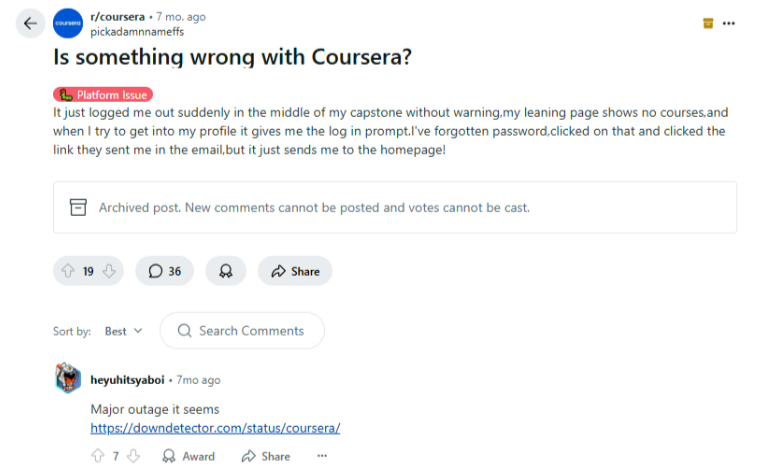
When Coursera experiences issues, you might notice sudden logouts, empty learning pages, login loops, error messages, or extremely slow loading times. Course progress may disappear temporarily, and videos might buffer endlessly.
According to Quora, these symptoms are typically temporary, and it depends on the specific region. Let’s see the main reasons Coursera might become unavailable and what happens during these periods:
1. Scheduled Maintenance
Coursera regularly updates its platform to improve performance and fix bugs. Certain features or the entire site may become temporarily unavailable during these planned maintenance windows.
Coursera typically sends email notifications about scheduled maintenance to minimize disruption to your learning experience.
2. Security-Related Shutdowns
To protect user data and maintain a safe learning environment, Coursera occasionally needs to address security issues.
These situations may require quick, unplanned shutdowns while the team fixes vulnerabilities. Coursera certificates are worth it for all learners in the professional world, so the platform makes sure to keep the security features and related sources up to date.
3. Server Problems And Technical Issues
Unexpected technical difficulties can cause Coursera outages. These problems include server overloads during peak usage times, database errors, or network issues.
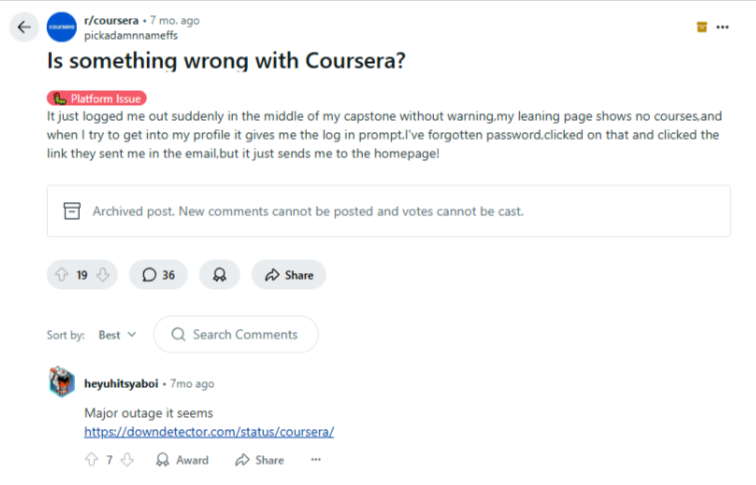
According to Reddit, these outages typically last from a few minutes to several hours, with the platform gradually returning to regular operation as systems are restored.
How To Check If Coursera Is Down?
You can verify Coursera’s status through its official status page at status.coursera.org. This page shows real-time information about any ongoing issues.
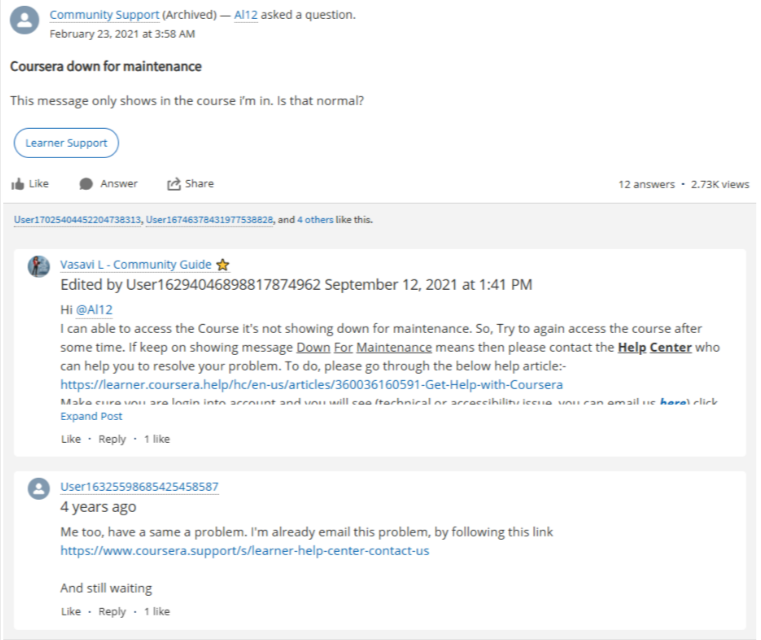
In 2021, many users received maintenance messages that appeared only in specific courses, confusing whether the entire platform was down.
If you are auditing Coursera courses and face issues, you can check with its customer support whether the site is down by visiting www.coursera.support for assistance.
Other Sources To Check Coursera Status
If the official Coursera status page doesn’t provide enough information, several alternative sources can help you determine if the platform is experiencing issues. These resources gather user reports and provide real-time status updates.
1. Third-party down detectors
Down status checker websites like DownDetector by Ookla offer real-time monitoring of Coursera and other online services. These platforms collect user reports to identify outages and display outage maps showing affected regions.
They also provide historical data on past outages, helping you determine if current issues are part of a larger pattern or isolated incidents.
2. Check Social Media Platforms Like X (Twitter)
Social media serves as an instant barometer for website issues. Users quickly post about Coursera problems using hashtags like #CourseraDown or by mentioning @coursera directly.
This method gives you quick insights into whether others are experiencing similar issues and if Coursera’s team has acknowledged the problem with official announcements.
3. Reddit Forums
The Coursera subreddit community quickly responds to platform issues with troubleshooting advice. When outages occur, users share their experiences and potential fixes in threads.
Even after you purchase Coursera plans and still face issues, searching this site can give you accurate information about whether Coursera is down based on fresh user reports rather than automated systems.
What to Do During Coursera Downtime?
When Coursera is temporarily unavailable, you can take several steps to minimize disruption to your learning and protect your progress while waiting for the service to return.
Contact Support
Coursera Plus is worth it for most learners and best to start with the 7-day free trial, but if you still face some issues after upgrading, you can contact Coursera’s Help Center for assistance. Their team can often provide estimated resolution times for known issues.
Reporting Course Material Issues To Instructors
For problems with specific course content rather than platform-wide issues, use the “Flag” option within courses to alert instructors about videos, quizzes, or assignments that aren’t functioning correctly.
Using Coursera’s Main Contact Page
For persistent problems, the main contact page provides direct access to support specialists who can escalate technical issues to the right department.
Protecting Your Progress
Be patient while systems return to normal. Coursera typically preserves your course progress even during outages, though it may temporarily appear missing when services are disrupted.
Understanding How Progress Is Gradually Restored
When Coursera recovers from downtime, completed course sections and grades usually reappear first, followed by in-progress activities and submitted assignments affected during the outage.
Troubleshooting Steps When Coursera Isn’t Working For You
Before contacting support, try these quick fixes: restart your browser, clear your cache, check your internet connection, try a different browser, or access Coursera from another device.
These simple steps solve the most common access issues. If you are excited to know which is best between Coursera vs. Coursera Plus, try accessing their courses to see the difference yourself.
Further look at detailed troubleshooting approaches to resolve Coursera access problems.
1. Check Your Internet Connection
A slow or unstable internet connection often causes loading issues with Coursera. Test your connection speed using websites like Speedtest.net to ensure you have at least 2.5 Mbps for smooth video streaming.
Try restarting your router by unplugging it for 30 seconds before reconnecting. If you’re on Wi-Fi, consider switching to a wired connection or trying mobile data to rule out local network problems.
2. Clear Browser Cache And Cookies
Stored website data can prevent Coursera from loading correctly. For Chrome, go to Settings – Privacy and Security – Clear browsing data, then select ‘Cookies and cache’ and click ‘Clear data.’
For Firefox, choose Options > Privacy & Security > Cookies and Site Data > Clear Data.
For Safari, select Preferences > Privacy > Manage Website Data > Remove All. This removes outdated information that might conflict with Coursera’s current version.
3. Try Different Devices And Browsers
Coursera works best with updated versions of Chrome, Firefox, Safari, and Edge. If you have issues, try accessing your courses from a different browser or device.
Coursera requires computers with at least 1GB of RAM or mobile devices running iOS 16.0+ or Android 8.0+. The mobile app sometimes works when the website doesn’t, so installing the Coursera app on your smartphone can provide an alternative way to access your courses.
Coursera Outage History & Downtime Reports
Coursera has faced multiple outages over the years, often caused by cloud hosting failures, maintenance updates, or traffic overloads. Below is a record of recent incidents showing when the platform went down and how long it took to recover.
| Date | Incident | Duration | Status |
|---|---|---|---|
| Oct 21, 2025 | Login error affecting all users | 2 hours | Fixed |
| Oct 20, 2025 | Coursera site down due to Amazon AWS outage | 7 hours | Resolved |
| Oct 20, 2025 | Course access issues (not confirmed by Coursera) | 3 hours | Resolved |
| Jun 26, 2025 | Temporary outage during maintenance | 33 minutes | Fixed |
| Apr 07, 2025 | Coursera.org experienced interruptions | 2 hours | Resolved |
| Dec 16, 2024 | Site interruptions and slow loading | 4 hours | Fixed |
| Dec 12, 2024 | Intermittent course access issues | 33 minutes | Resolved |
Conclusion: Coursera Is Down, But the Fix Is Usually Simple
Coursera may experience short outages or performance issues from time to time, often due to server overload, maintenance, or internet connectivity problems.
If you can’t access your courses, start with basic troubleshooting, check your internet connection, clear your browser cache, or switch devices.
Most Coursera maintenance updates are scheduled and announced in advance, and your learning progress remains safe during these interruptions.
If the issue continues, you can contact Coursera Support for quick assistance and status updates to get back to learning smoothly.
FAQs
Coursera typically experiences downtime two or three times per year, usually for scheduled maintenance or unexpected technical issues that are resolved within hours.
Your progress is stored in Coursera’s databases and normally reappears once services return to normal, though it may temporarily show as missing during outages.
Some maintenance affects only specific features while allowing course access, but full maintenance periods may make the entire platform temporarily unavailable.
Chrome, Firefox, Safari, and Edge are recommended browsers for Coursera, with Chrome generally providing the most consistent experience across all course features.
Support typically responds within 24-48 hours for standard queries, though widespread outage issues may take longer due to high ticket volumes.